










Elevator door faults account for a large share of elevator service interruptions. When a door stops mid-travel, closes incompletely, reopens repeatedly, or refuses to respond, the elevator usually has to be taken out of service until the cause is found — and the door controller is often the first component to be suspected.
In practice, however, not every door malfunction originates in the controller itself. Motor problems, encoder feedback errors, wiring issues, mechanical resistance, and safety device activation can all produce similar symptoms. Replacing a controller without confirming the actual fault source is one of the most common causes of unnecessary expense and repeated downtime.
This guide explains what an elevator door controller does and how it works, lists the most common door controller problems, provides a step-by-step diagnostic procedure for qualified personnel, and shows how to distinguish controller faults from door operator, mechanical, and safety device problems. It also covers repair-versus-replacement decision criteria and the technical information to verify before ordering a replacement controller.
- A door controller processes command signals and control logic; the door operator is the mechanical drive system — the two must be diagnosed separately.
- Identify the actual fault before replacing the controller: check power supply, command signals, wiring, motor, encoder, and mechanical components systematically.
- Use the controller manufacturer's fault codes and technical documentation rather than relying on universal code assumptions.
- Verify voltage, motor compatibility, door configuration, feedback type, and communication interfaces before selecting a replacement.
Table of Contents
- 1. What Is an Elevator Door Controller and How Does It Work?
- 2. Common Elevator Door Controller Problems
- 3. Step-by-Step Elevator Door Controller Troubleshooting
- 4. Controller Fault vs. Door Operator Problem: How to Tell Them Apart
- 5. Repair or Replace? How to Decide
- 6. How to Select a Compatible Replacement Controller
- 7. Preventive Maintenance for Elevator Door Systems
- 8. Frequently Asked Questions
- 9. Conclusion
1. What Is an Elevator Door Controller and How Does It Work?
An elevator door controller is an electronic control unit that manages the movement of the elevator door operator. It receives opening and closing command signals from the elevator’s main control system, executes the door control logic, drives the door motor according to the configured speed profile, and monitors feedback and protection signals throughout each door cycle.
1.1 How a Door Controller Works in a Typical Door Cycle
Although designs vary by manufacturer, most door control systems follow the same basic signal chain:
- Input stage: the controller receives the open or close command from the elevator main control system, along with status signals such as door zone and car position.
- Control logic: the controller runs its internal logic, including speed and acceleration curves, travel learning data, and protection rules.
- Output stage: the controller drives the door motor, which moves the door panels through the operator’s mechanical transmission.
- Feedback and protection: during movement, the controller continuously monitors encoder feedback, door position, and safety device inputs such as the light curtain and safety edge. If a protection signal activates, the controller interrupts or reverses the door movement.
1.2 Door Controller, Door Operator, and Safety Devices: Three Different Roles
The terms “door controller” and “door operator” are often confused, but they describe different parts of the door system. Understanding this distinction is essential for accurate fault diagnosis:
| Component | Role in the Door System | Typical Fault Symptoms |
|---|---|---|
| Elevator door controller | Processes command signals, runs control logic, drives the motor, and handles protection logic. | No response to commands, drive alarms, incorrect speed profile, or internal fault indications. |
| Door operator | The mechanical and drive system: motor, belt or linkage, pulleys, rollers, and hangers that physically move the door panels. | Weak or jerky movement, unusual noise, incomplete travel, or door movement under manual mode but with abnormal resistance. |
| Safety devices (light curtain, safety edge, door interlock) | Detect obstructions in the door opening and provide protection signals to the controller. | Door repeatedly reopens, refuses to close, or closes only after several attempts. |
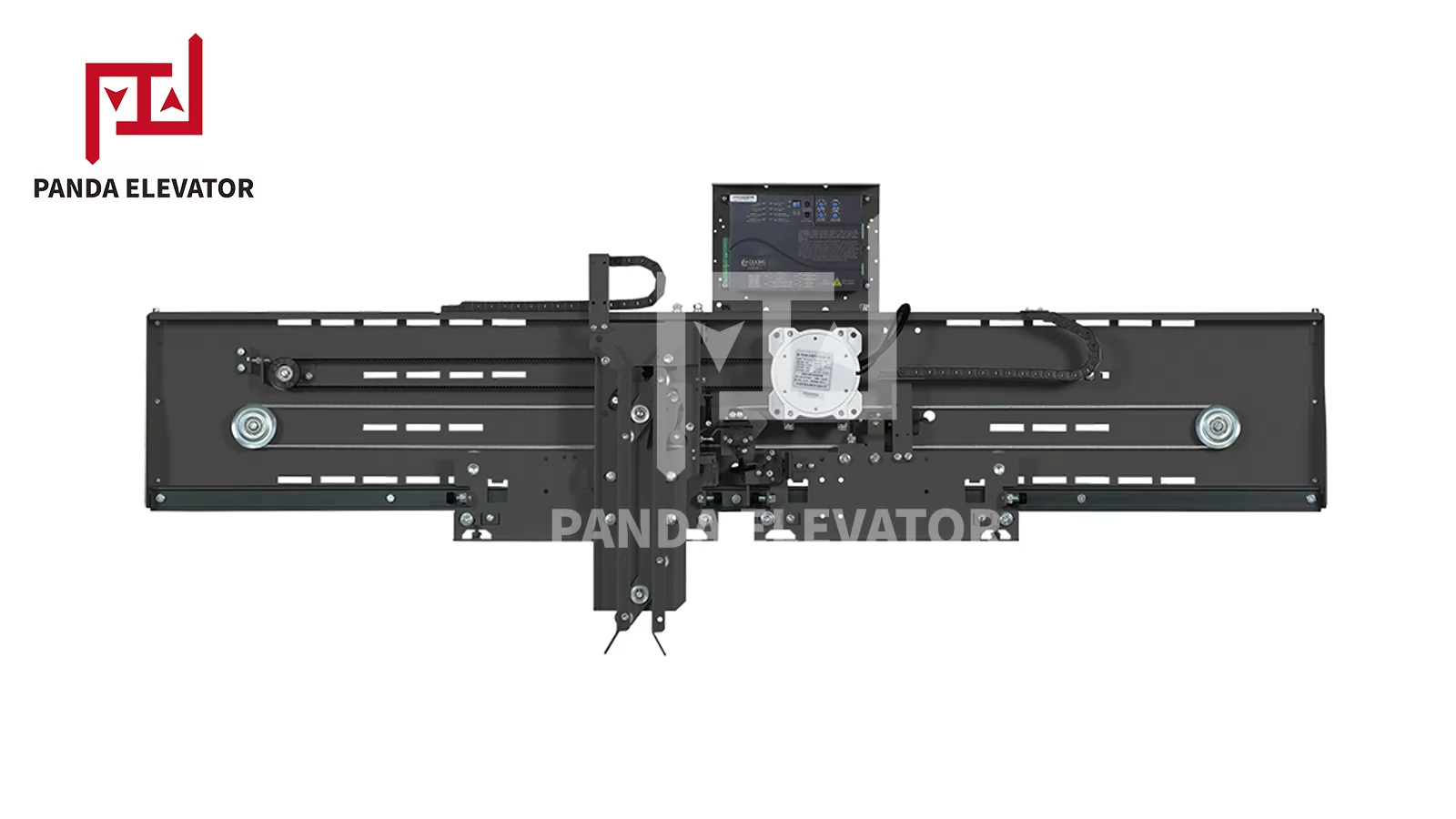
OMJ102A center-opening elevator door operator assembly — the mechanical system the door controller commands.
In short: the controller decides how the door moves, the operator moves the door, and the safety devices decide when the door must stop or reverse. A fault in any of the three can make the whole system appear “broken,” which is why systematic diagnosis — not immediate controller replacement — is the right starting point.
2. Common Elevator Door Controller Problems
Elevator door controller faults can appear in many forms. The following table summarizes the most frequently reported symptoms, the areas that commonly cause them, and the first checks that experienced technicians perform.
| Symptom | Possible Cause | Recommended Check |
|---|---|---|
| Door does not open | Missing command signal, power supply issue, wiring fault, or controller fault. | Check input signals, status indicators, and power supply. |
| Door does not close | Obstruction detection, safety circuit interruption, door interlock issue, or closing command fault. | Inspect safety device inputs and door movement. |
| Door repeatedly reopens | Light curtain activation, unstable safety input signal, or excessive closing resistance. | Check obstruction detection devices and mechanical movement. |
| Door stops before reaching the end position | Encoder feedback error, travel learning issue, mechanical binding, or incorrect configuration. | Check position feedback, mechanical resistance, and model-specific travel settings. |
| Door moves unevenly or makes unusual noise | Mechanical resistance, drive belt wear, or incorrect motion parameters. | Inspect door tracks, belts, and rollers; verify drive settings. |
| Controller displays an alarm or error | Power, wiring, encoder, communication, or internal electronic fault. | Record the exact alarm code and refer to that controller’s manual. |
3. Step-by-Step Elevator Door Controller Troubleshooting
A structured diagnostic procedure helps technicians locate the fault source without replacing components unnecessarily. The following workflow is intended as a diagnostic framework, not a substitute for the equipment manufacturer’s service instructions.
- Identify the reported symptom.
- Check the controller’s displayed fault information.
- Verify the power supply and control signals.
- Inspect the safety devices and related inputs.
- Check the door operator and mechanical movement.
- Compare parameter settings with the manufacturer’s documentation.
- Determine whether repair or replacement is required.
The sections below describe each step in detail.

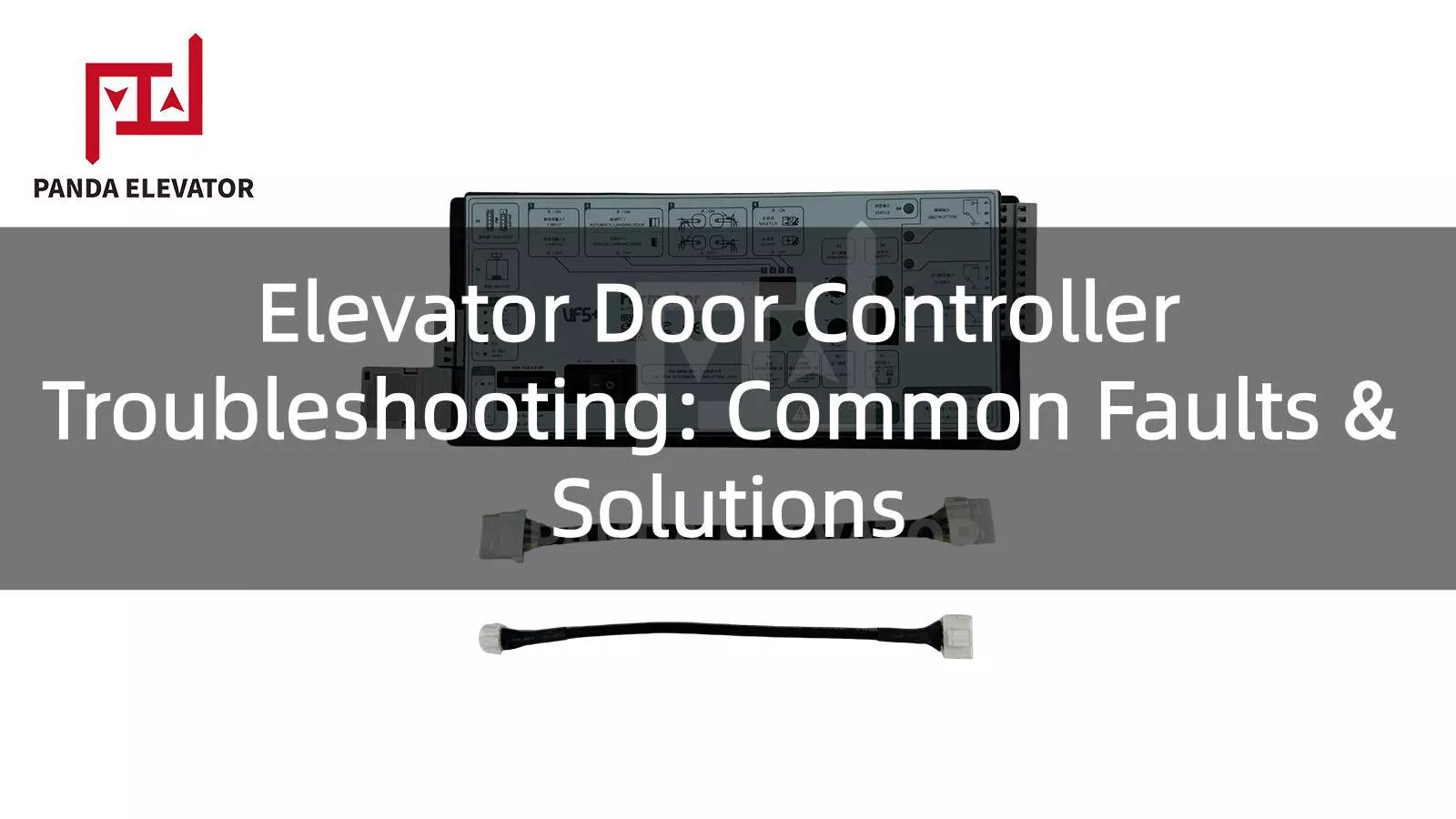
Fermator VF5+ elevator door controller front panel.
Step 1: Record the Fault Symptoms
Start by documenting what happened before the malfunction occurred. Avoid immediately resetting the controller or replacing components, as doing so may erase useful diagnostic information.
Record the following details:
- Whether the problem occurs during opening, closing, or both.
- Whether the fault occurs consistently or intermittently.
- Whether the door stops at a particular position.
- Whether the controller displays an alarm or abnormal indicator.
- Whether the problem appeared after maintenance, component replacement, or power interruption.
Step 2: Verify the Power Supply
Check the controller’s specified input voltage and power supply condition against its nameplate and technical manual. Also inspect relevant protective devices and power connections.
Important inspection points include:
- Whether the input supply is present and within the specified range.
- Whether circuit protection devices have operated.
- Whether power terminals and connectors show signs of looseness or overheating.
- Whether the controller reports undervoltage or another supply-related alarm.
Do not assume that all elevator door controllers use the same supply voltage. The actual electrical requirements depend on the controller model.
Step 3: Check Opening and Closing Commands
If the controller has power but the door does not respond, verify whether the elevator control system is sending the required opening or closing command. Depending on the system design, the interface may use discrete electrical inputs or a serial communication connection.
Check:
- Whether the opening and closing commands are present.
- Whether the relevant input indicators change as expected.
- Whether control wiring is correctly connected.
- Whether communication status indicates a connection problem.
If the command is absent, investigate the upstream elevator control system and interface wiring instead of immediately replacing the door controller.
Step 4: Inspect Motor and Encoder Connections
Motor and encoder faults can cause symptoms that resemble a controller failure. Inspect the relevant connectors, cables, and motor condition according to the manufacturer’s service instructions.
Look for:
- Damaged insulation or loose connectors.
- Incorrect wiring or disconnected feedback signals.
- Signs of motor overheating.
- Encoder mounting or coupling problems.
- Abnormal motor or encoder diagnostic indications.
If the controller reports an encoder-related fault, verify the encoder type, wiring, and configuration before considering replacement of the control board.
Step 5: Inspect the Mechanical Door System
Electrical faults are not the only reason for abnormal door movement. Mechanical resistance can increase motor load and trigger protective responses from the controller.
Qualified technicians should inspect:
- Door tracks and rollers for contamination or wear.
- Drive belts for damage, slipping, or incorrect tension.
- Pulleys and mechanical connections for alignment.
- Door panels for interference or abnormal resistance.
- Door coupling and related mechanical components.

Technical drawing of an elevator door operator assembly for structural reference.
Any mechanical adjustment should follow the equipment manufacturer’s procedures. Do not force the door or continue operating a mechanism that appears obstructed or damaged.
Step 6: Review Safety Device Signals
Check the status of the light curtain, safety edge, and other protective devices installed in the door system. Confirm whether a protective input is being activated under normal conditions — for example, by dirt, misalignment, or an actual obstruction — or whether a device, connection, or sensor is malfunctioning.
Step 7: Read Fault Records and Verify Operation
After the physical and electrical inspections, retrieve the controller’s stored fault information using its approved diagnostic interface. Compare the fault description with the manufacturer’s troubleshooting documentation for that exact model.
If the cause has been corrected, qualified personnel can perform the prescribed reset, configuration, or travel-learning procedure. Finally, verify the complete door operating cycle — opening, closing, stopping, and the operation of relevant protective devices — and return the elevator to service only after the required inspections and safety checks have been completed.
4. Controller Fault vs. Door Operator Problem: How to Tell Them Apart
A door system fault does not automatically mean the controller is damaged. The same visible symptom — a door that will not close, for example — can come from the controller, the drive system, the mechanical structure, or the safety devices. Comparing what the controller does with what the door actually does is the fastest way to narrow down the fault source.
Use the following reference table to attribute symptoms to the most likely component group:
| What You Observe | Most Likely Source | Why | Where to Investigate First |
|---|---|---|---|
| Controller has no power indication | Power supply or wiring | A controller without supply cannot perform any function. | Input supply, protective devices, power terminals. |
| Controller powered but receives no open/close command | Elevator main control system or interface wiring | Command transmission happens upstream of the door controller. | Command inputs, communication link, main control output. |
| Controller output is normal, but the door moves weakly, jerkily, or not at all | Door operator drive or mechanical system | The controller is commanding movement; the mechanical system is failing to execute it. | Motor, belt tension, rollers, hangers, door track. |
| Door closes and then reopens without an obstruction | Safety device or its wiring | An unstable protection signal makes the controller reverse the door as designed. | Light curtain alignment and cleanliness, safety edge, protection input wiring. |
| Door position errors, failed travel learning, or irregular speed | Encoder or feedback configuration | The controller depends on feedback to regulate movement accurately. | Encoder wiring, coupling, feedback type and resolution settings. |
| Controller reports an internal electronic alarm after external causes are excluded | Controller itself | Internal alarms confirmed after supply, wiring, motor, and mechanical checks point to the controller. | Follow that manufacturer’s fault diagnosis procedure. |
Two practical rules follow from this table. First, an alarm on the controller display is a description, not a verdict — an overcurrent alarm, for example, can be caused by a motor fault, wiring problem, or a mechanically blocked door, not necessarily by the controller. Second, a door that reopens by itself is often responding correctly to a protection signal; the fault may lie in the light curtain or safety edge rather than in the controller.
For reference, manufacturer documentation such as the Vertical Express LD-16 Door Operator Manual includes fault categories related to motor and encoder problems, overcurrent, mechanical obstruction, and communication interfaces. These examples demonstrate why fault diagnosis should consider the complete door system rather than the controller alone.
Important: Fault codes and diagnostic procedures are model-specific. This manual is cited only as a general reference — never apply a fault-code definition from one manufacturer to another controller without verification.
5. Repair or Replace? How to Decide
Once the fault source has been confirmed, the next decision is whether to repair the existing controller or replace it. This decision should be based on the fault type, spare parts availability, the controller’s overall condition, system compatibility, and serviceability — not on the number of alarms alone.
| Evaluation Factor | Repair May Be Suitable | Replacement May Be Necessary |
|---|---|---|
| Fault type | Minor wiring or connection issue, recoverable configuration error. | Confirmed internal component failure. |
| Spare parts | Compatible repair components are available. | Key components are unavailable or obsolete. |
| Controller condition | Overall condition is stable; the failure is an isolated event. | Repeated confirmed failures or extensive damage. |
| Compatibility | Existing system remains supported by the manufacturer. | Replacement is needed for motor, feedback, or interface compatibility (e.g., modernization). |
| Serviceability | The manufacturer supports repair with documentation and testing procedures. | Repair is impractical or uneconomical compared with a new unit. |
Note that “the controller alarms frequently” is not, by itself, a reason to replace it. Frequent alarms must first be traced to their cause — which may be mechanical resistance, an unstable safety input, or a supply problem — and repair feasibility and system compatibility must be assessed before ordering a new controller.
When Controller Repair May Be Appropriate
Repair may be considered when the fault is limited to a serviceable connection, replaceable component, or configuration issue and the controller remains suitable for continued operation:
- Loose or damaged external wiring that can be safely repaired.
- Incorrect but recoverable configuration settings.
- Replaceable connectors or approved electronic modules.
- Communication problems caused by external connections.
Electronic board-level repairs should only be performed by qualified personnel with appropriate technical documentation and testing equipment.
When Controller Replacement Is Worth Considering
Replacement may be more practical when the controller has confirmed internal damage, repeated failures with different causes excluded, unavailable spare parts, or compatibility limitations. It is also the typical path during an elevator modernization project, when the existing controller cannot support the required motor, feedback, or interface configuration.
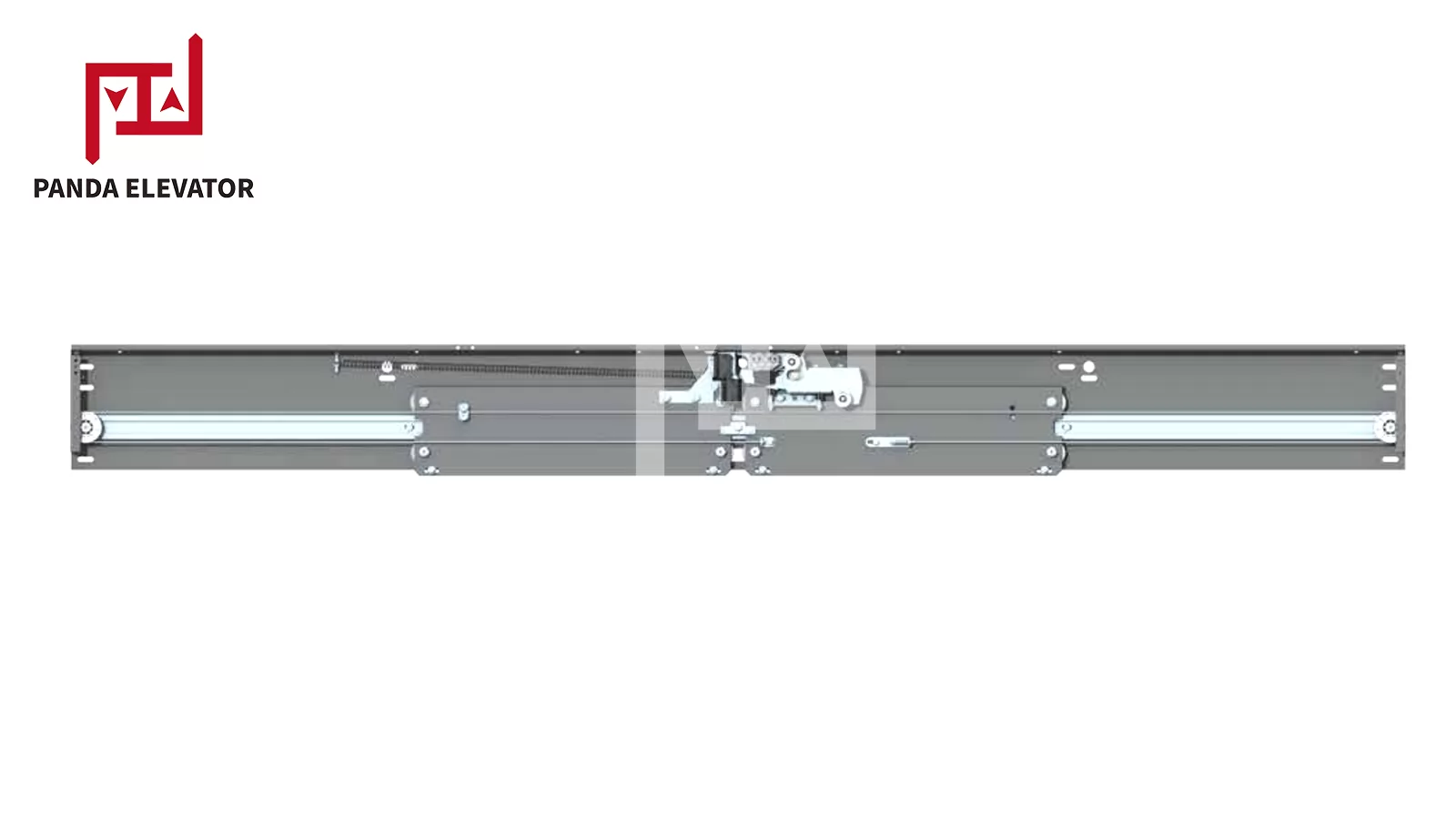
T2200 C2A elevator landing door mechanism — door system components are often evaluated together during replacement decisions.
If replacement is the direction you are considering, the next section lists the technical details to confirm before ordering.
6. How to Select a Compatible Replacement Controller
Choosing a replacement elevator door controller requires more than matching the product name or physical dimensions. The controller must be compatible with the door operator, the motor, the electrical supply, the door configuration, the feedback system, and the elevator control interface.
6.1 Selection Criteria Checklist
Confirm each of the following items before requesting a quotation:
- Compatibility with the existing door operator — operator brand, model, and mechanical interface.
- Supported door configurations — center-opening or side-opening, panel quantity, and door width.
- Rated input voltage and power requirements — matched to the actual supply and motor ratings, not to appearance.
- Motor type and drive compatibility — motor model, rated voltage, current, and control method.
- Communication and control interfaces — discrete inputs, serial interface, or other protocol used by the main control system.
- Encoder and feedback requirements — feedback type, resolution, and wiring.
- Parameter configuration requirements — travel learning, speed profile, and commissioning tools.
- Installation dimensions and wiring connections — mounting space and terminal layout.
- Availability of technical documentation and replacement parts — manuals, wiring diagrams, and warranty support.
6.2 Pre-Inquiry Checklist: What to Prepare Before Asking for a Quote
Providing complete technical information with your first inquiry significantly shortens the compatibility confirmation process. Before contacting a supplier, prepare:
- The original door controller model and, if possible, its nameplate photo.
- The door operator model and brand.
- Motor parameters: type, rated voltage, power, and current.
- Supply specifications: rated voltage and frequency at the installation.
- Door type: center-opening or side-opening, panel quantity, and door width.
- The wiring diagram of the existing door system, if available.
- The fault symptoms observed and what has already been checked.
6.3 Example: Panda Elevator Door Controller VF5+
For buyers sourcing elevator door control components, Panda Elevator supplies the Fermator Elevator Door Controller VF5+. According to the product information published on Panda’s product page, the VF5+ has the following listed specifications:
| Specification | Published Product Information |
|---|---|
| Product Type | Elevator Door Controller |
| Model | VF5+ |
| Door Opening | Center Opening / Side Opening |
| Voltage | AC 220V |
| Power | 0.4 kW / 0.75 kW / 1.1 kW / 1.5 kW |
| Standards / Certification Listed | EN 81-50 (product safety standard for elevator components); CE marking |
Fermator VF5+ elevator door controller.
Before ordering, confirm the exact product configuration, motor compatibility, wiring requirements, and application suitability with the supplier. The listed power options and door-opening types should not be interpreted as universal compatibility with every elevator door system — the compatibility of a specific VF5+ configuration with your door operator must be verified case by case.
View the product details here: Elevator Door Controller VF5+ – Panda Elevator. Buyers looking for additional elevator control components can also explore Panda’s Elevator Control System product category.
Not sure whether the VF5+ matches your existing door operator? Send us your original controller model, door operator model, and motor parameters, and our team will check compatibility for you.
7. Preventive Maintenance for Elevator Door Systems
Most door controller alarms can be traced back to conditions that develop gradually: loosening terminals, contaminated tracks, wearing belts, or drifting safety-device alignment. Inspecting the door tracks, rollers, wiring connections, and safety-device inputs at the intervals specified by the elevator manufacturer prevents many of the faults described in this guide.
7.1 Inspect Electrical Connections
Check accessible terminals, connectors, and wiring for signs of looseness, overheating, insulation damage, or corrosion. All electrical inspection work should follow the equipment manufacturer’s safety procedures.
7.2 Monitor Fault Records
Review recorded alarms and operating abnormalities during scheduled maintenance. Repeated alarms may indicate a developing issue even if the door continues to operate. Keeping a maintenance record helps technicians identify recurring problems and evaluate whether component replacement is necessary.
7.3 Maintain the Mechanical Door Assembly
Inspect the door tracks, rollers, belts, pulleys, and other mechanical components according to the manufacturer’s maintenance schedule. Remove contamination and correct abnormal wear or alignment issues using approved procedures.
7.4 Check Sensors and Safety Devices
Verify that the light curtain, safety edge, and relevant protective devices operate correctly. Damaged or unstable safety devices should be repaired or replaced before the elevator returns to normal service.
7.5 Monitor Operating Temperature and Environmental Conditions
Excessive heat, dust, moisture, and poor ventilation may affect electronic components and connections. Ensure that the controller is installed in an appropriate environment and that its cooling requirements are met.
7.6 Keep Technical Documentation Updated
Maintain the correct controller manual, wiring diagram, parameter records, and replacement part information. These documents help maintenance personnel identify the correct components and reduce troubleshooting time.
Inspection frequency should follow the elevator manufacturer’s recommendations, applicable regulations, and the operating conditions of the equipment. There is no single maintenance interval suitable for every elevator installation.
8. Frequently Asked Questions
Q1: What is the difference between an elevator door controller and a door operator?
The door controller is the electronic unit that processes command signals, runs the door control logic, drives the motor, and handles protection logic. The door operator is the mechanical and drive system — motor, belt or linkage, pulleys, rollers, and hangers — that physically moves the door panels. The controller tells the door how to move; the operator moves it.
Q2: Can an elevator door controller be replaced without changing the door operator?
Often yes, provided the replacement controller is compatible with the existing operator’s motor, feedback system, supply voltage, and communication interface. Compatibility must be verified item by item — a controller that matches in voltage and power but does not support the installed encoder or communication method will not operate correctly. If you provide your door operator model and motor parameters, the supplier can confirm whether a controller-only replacement is feasible.
Q3: Why does an elevator door reopen after closing?
Most often the door is responding to a protection signal rather than malfunctioning: the light curtain may detect an obstruction, or the safety edge or its wiring may be unstable. Excessive closing resistance and unstable control inputs can also cause reopening. Inspect the safety devices and door clearance first; only then move on to the controller’s input circuits.
Q4: How do you know if an elevator door controller is faulty?
A controller is confirmed faulty only after external causes have been excluded: verify the power supply, command signals, motor and encoder connections, mechanical movement, and safety device inputs first. If an internal electronic alarm persists after these checks, or the controller behaves abnormally with a verified-good motor and feedback system, the controller itself is the likely fault source. Use the manufacturer’s fault records and diagnostic procedures for the specific model.
Q5: Are elevator door controllers interchangeable?
No. Controllers differ in supply voltage, motor control method, feedback type, communication interface, parameter structure, and supported door configurations. Even controllers with a similar appearance may not be compatible. Always verify the complete specification against the installed system before substituting any controller, including a different-brand model.
Q6: What information is needed to select a replacement controller?
Prepare the original controller model (a nameplate photo is ideal), the door operator model and brand, motor parameters (type, rated voltage, power, current), the supply specification at the installation, the door type (center- or side-opening, panel quantity, door width), the existing wiring diagram if available, and the observed fault symptoms. With this information, a supplier can confirm compatibility before quotation — see the pre-inquiry checklist in Section 6.
9. Conclusion
Reliable door controller troubleshooting follows one logical chain: understand what the controller does, identify the symptom, verify power and command signals, distinguish controller faults from door operator, mechanical, and safety device problems, and only then decide between repair and replacement using clear criteria.
When replacement is the right choice, compatibility comes first. Input voltage, motor power, door configuration, encoder requirements, and communication interfaces all need to be confirmed before purchasing a replacement unit — and providing this information upfront is the fastest way to get an accurate quotation.
Panda Elevator provides elevator door components and control-related products for maintenance companies, contractors, and elevator parts distributors. Explore the VF5+ Elevator Door Controller and the Elevator Control System category, or send us your original controller model, door operator model, and application requirements — our team will recommend a compatible solution and confirm the details before you order.